
Family Advantage FCU
Home
Become A Member Newsletters Blog
Checking Free Bill Pay VISA Debit Card Home Banking
Savings Programs Savings Rates
Lending Services Loan Application Loan Rates VISA Credit Card Visa Credit Card Application Calculators Skip-a-Pay
Technology Update Book an Appointment Convenience Services Insurance Forms and Disclosures Employment Opportunities Credit Union Services Guide Zelle®
Locations

Online Banking

    Home
  • Members

    • Become A Member
    • Newsletters
    • Blog
  • Checking

    • Checking
    • Free Bill Pay
    • VISA Debit Card
    • Home Banking
  • Savings

    • Savings Programs
    • Savings Rates
  • Loan

    • Lending Services
    • Loan Application
    • Loan Rates
    • VISA Credit Card
    • Visa Credit Card Application
    • Calculators
    • Skip-a-Pay
  • Services

    • Technology Update
    • Book an Appointment
    • Convenience Services
    • Insurance
    • Forms and Disclosures
    • Employment Opportunities
    • Credit Union Services Guide
    • Zelle®
  • Contact

    • Locations
Family Advantage FCU
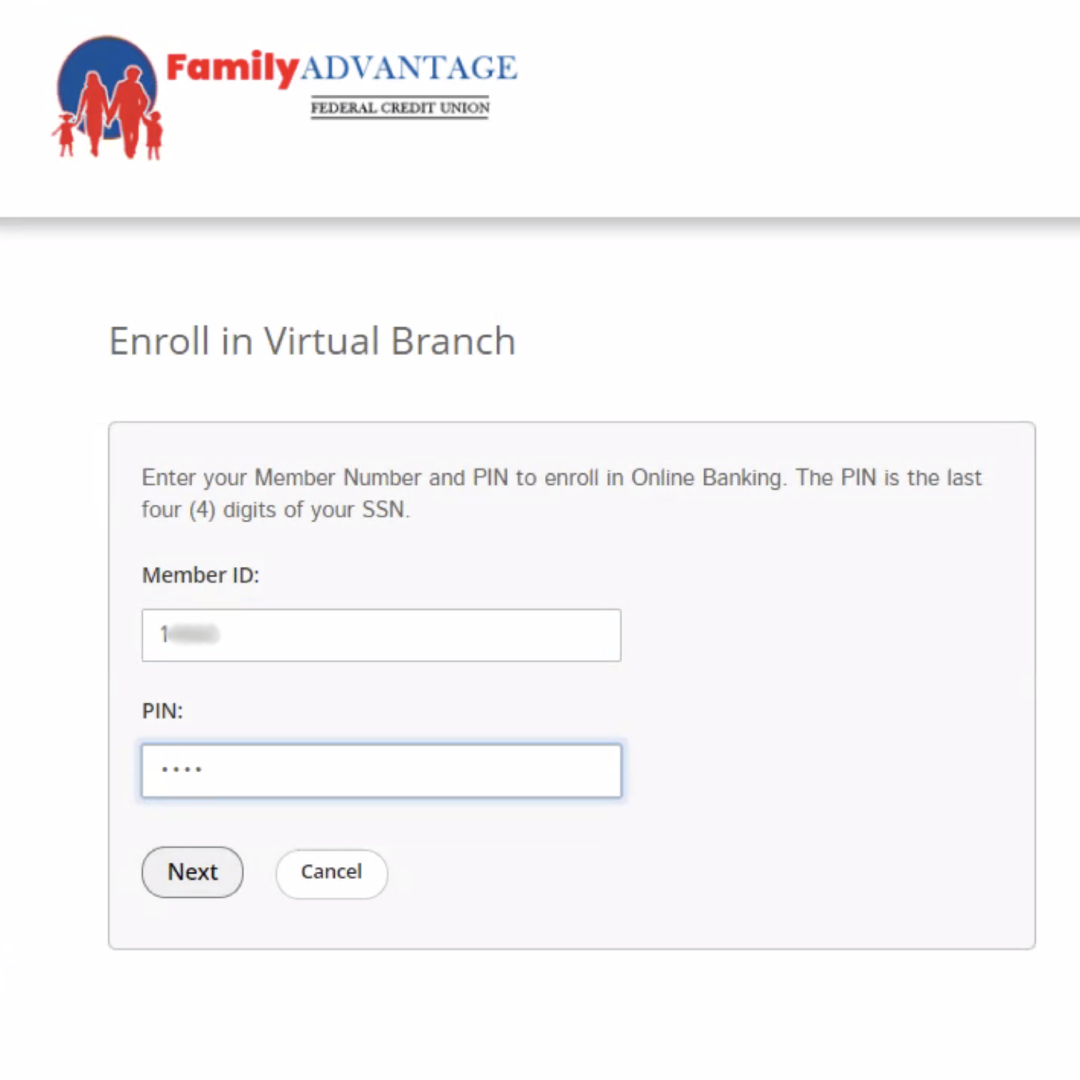
1. Enter your Member Number and PIN to enroll in Online Banking. The PIN is the last four (4) digits of your SSN.

1. Enter your Member Number and PIN to enroll in Online Banking. The PIN is the last four (4) digits of your SSN.

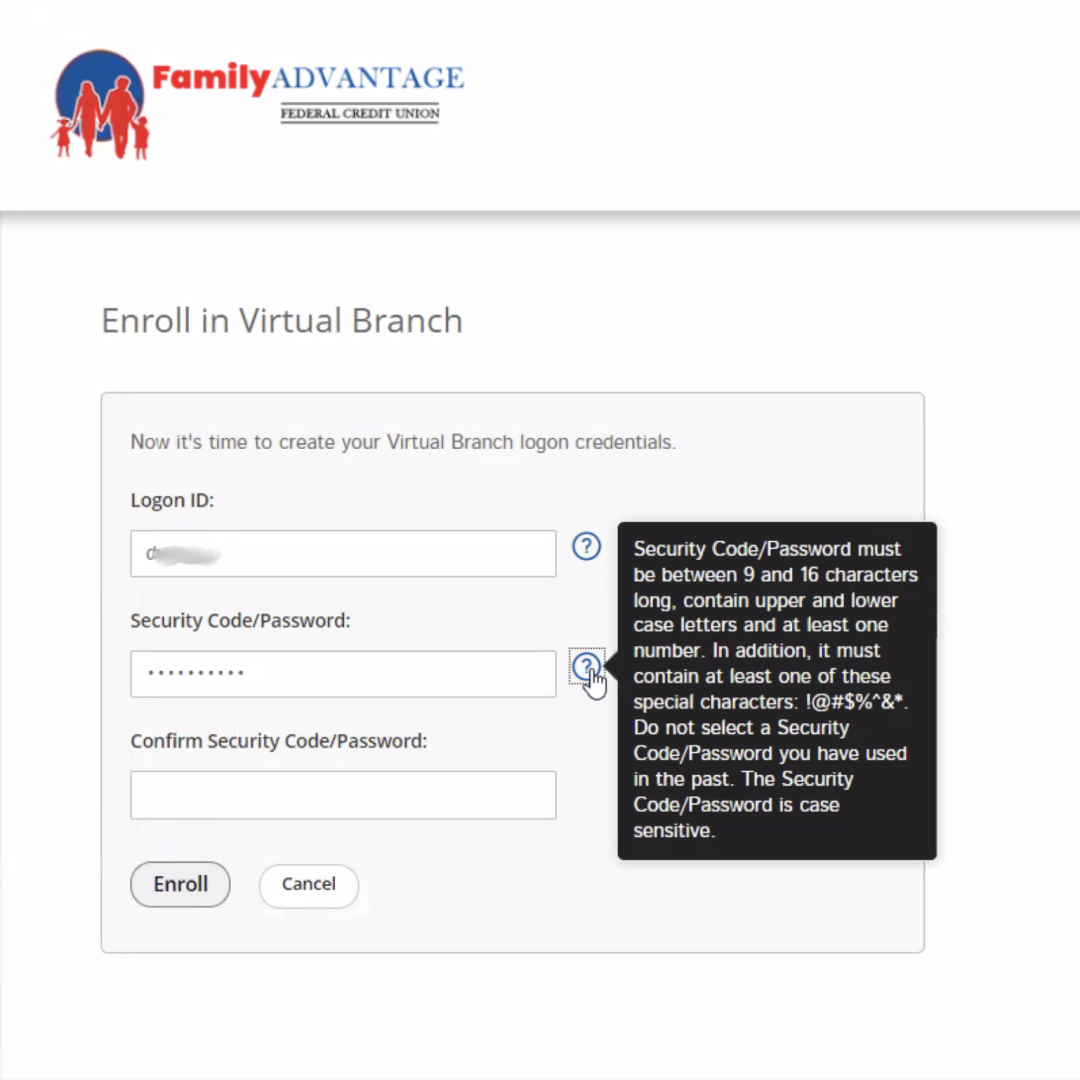
2. Create your new Virtual Branch Login ID

2. Create your new Virtual Branch Login ID

3. Create your new Virtual Branch password

3. Create your new Virtual Branch password

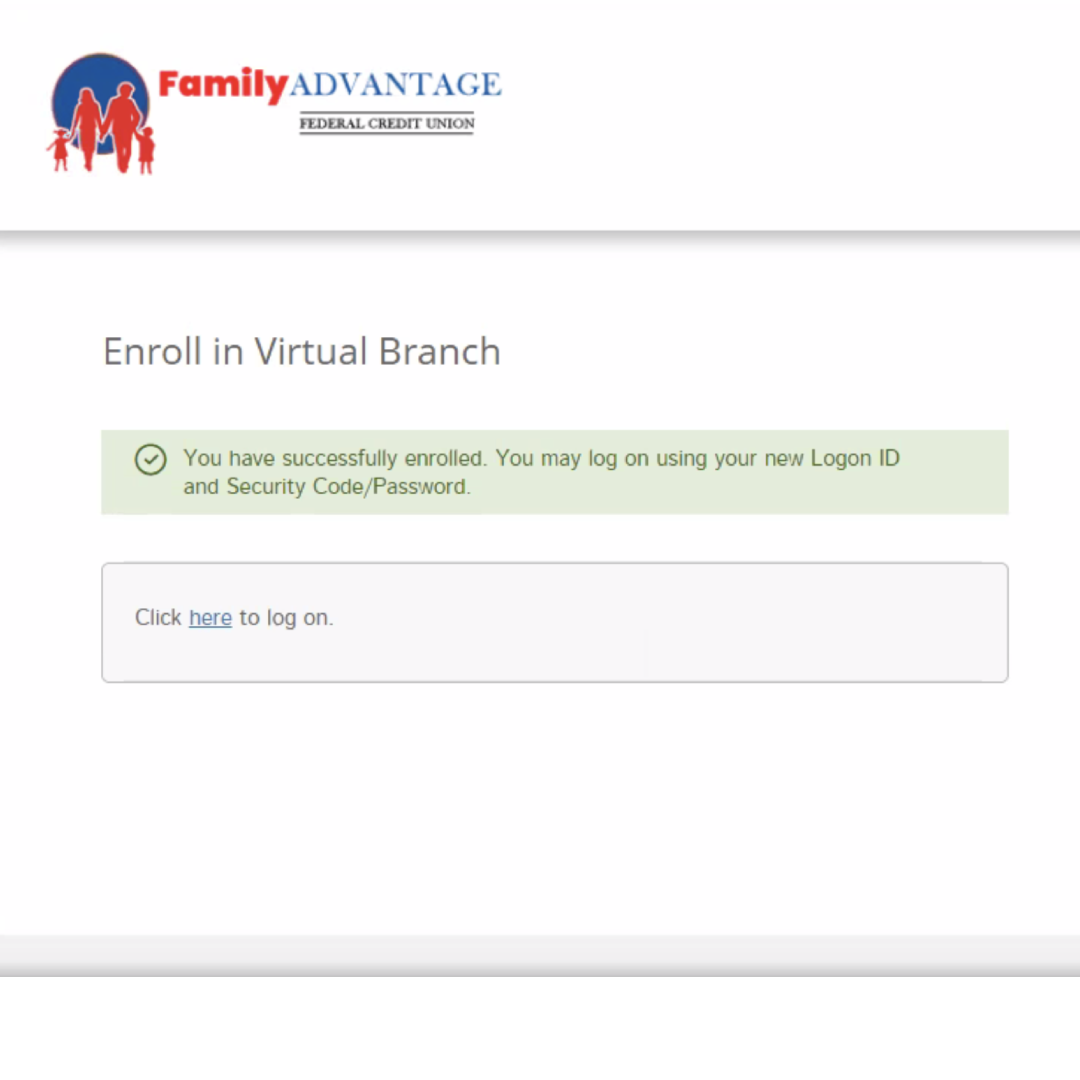
4. Click to login with your new Login ID and password

4. Click to login with your new Login ID and password

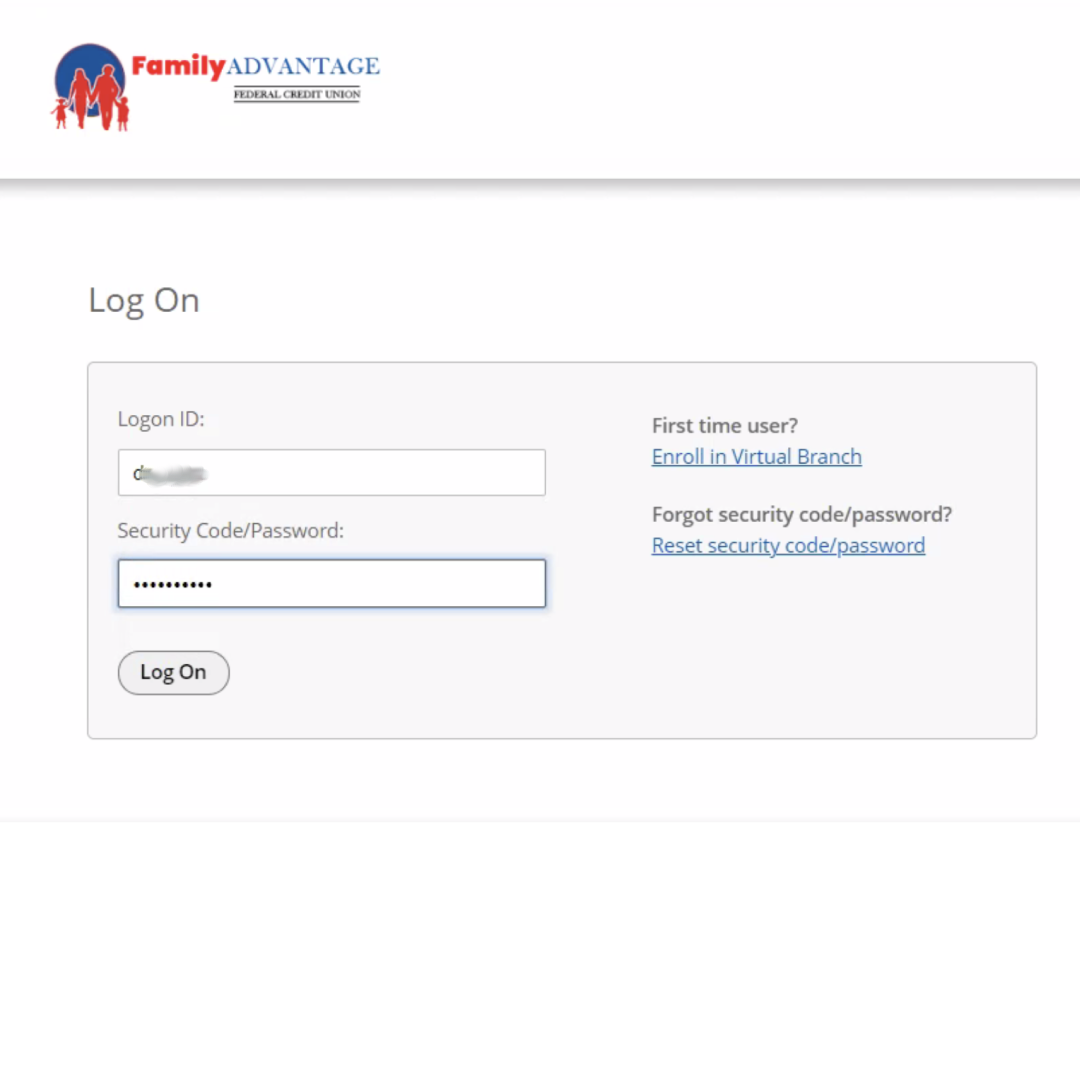
5. Enter in your new Login ID and password

5. Enter in your new Login ID and password

6. Select and answer the following security questions

6. Select and answer the following security questions

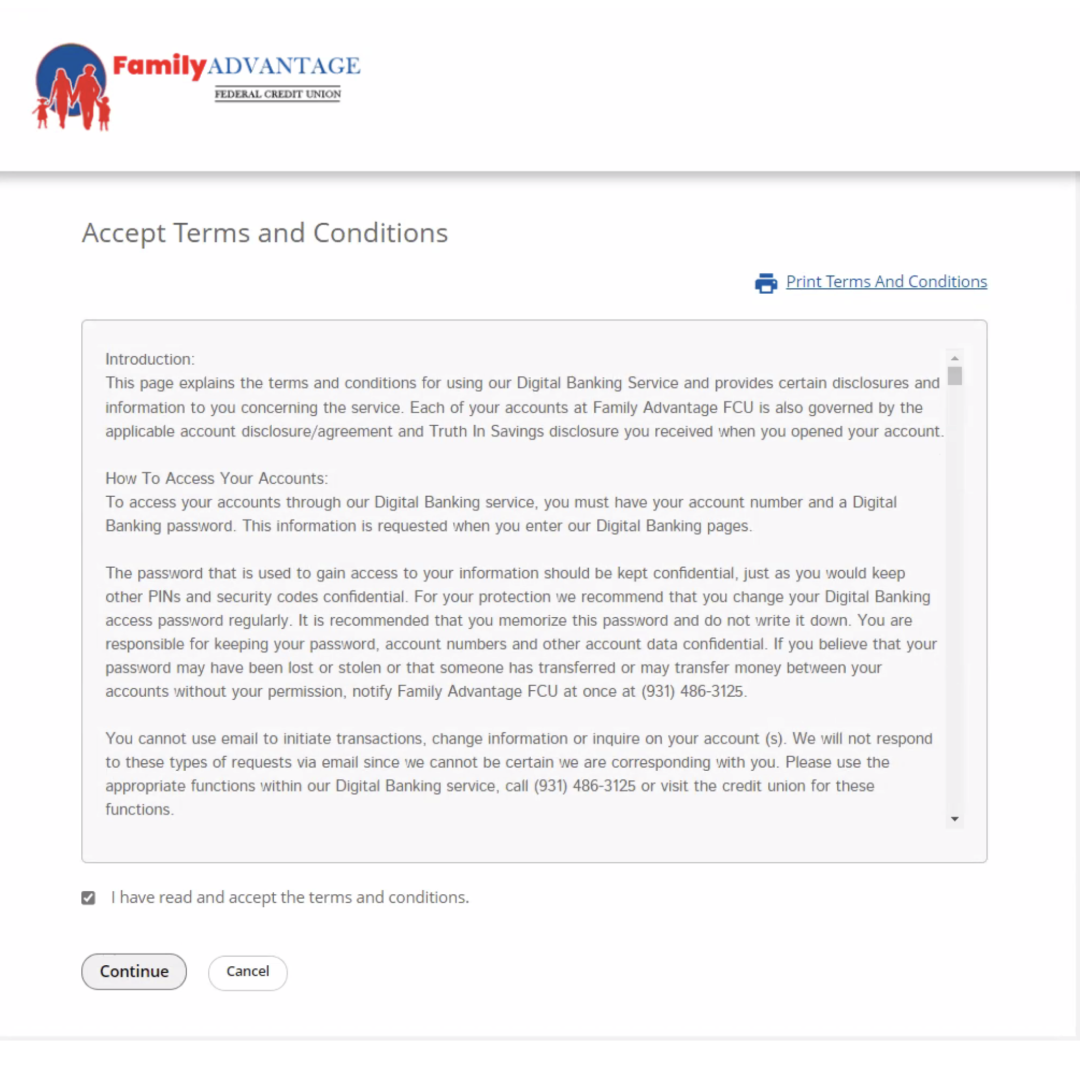
7. Accept the Terms and Conditions

7. Accept the Terms and Conditions

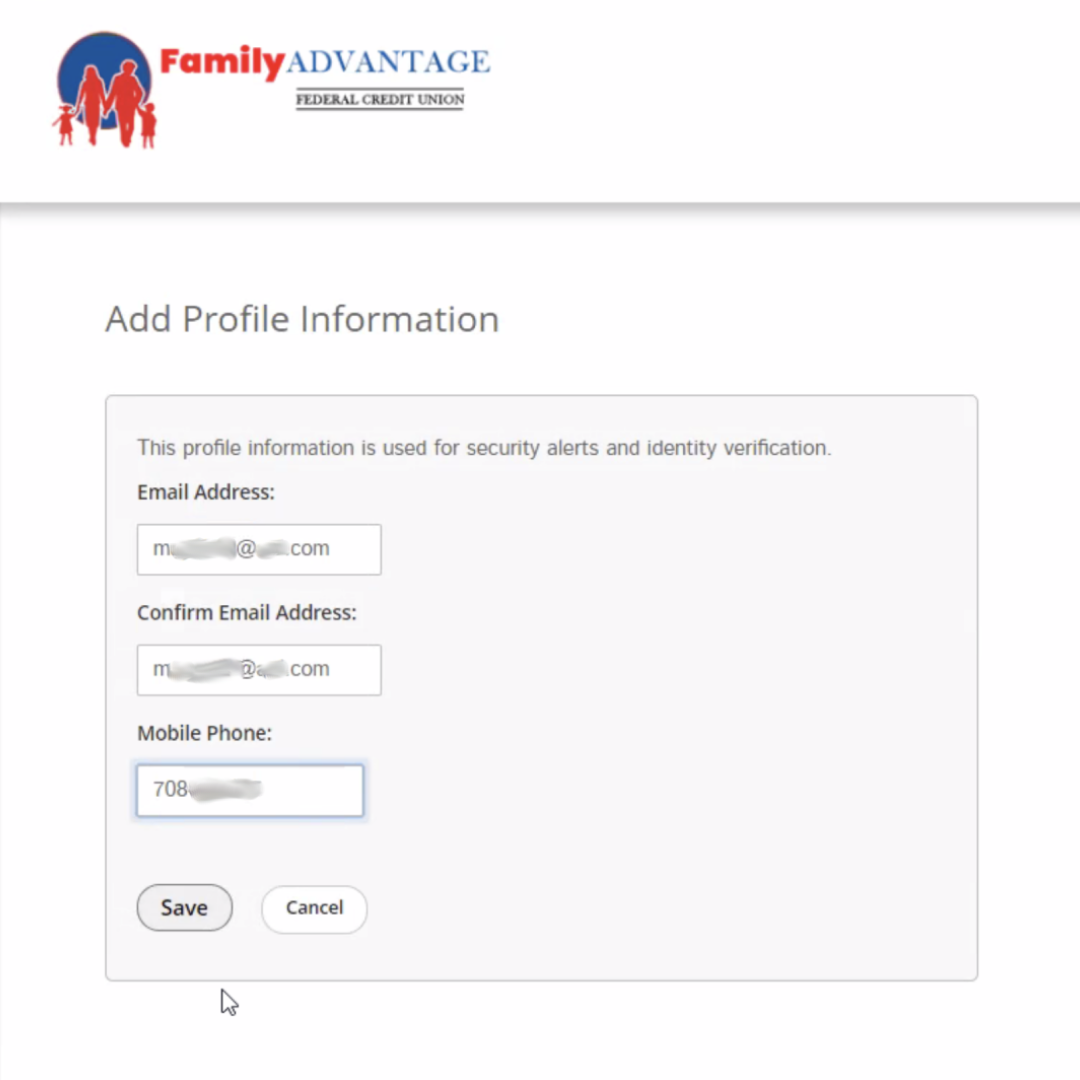
8. Add profile information for security alerts and identity verification

8. Add profile information for security alerts and identity verification

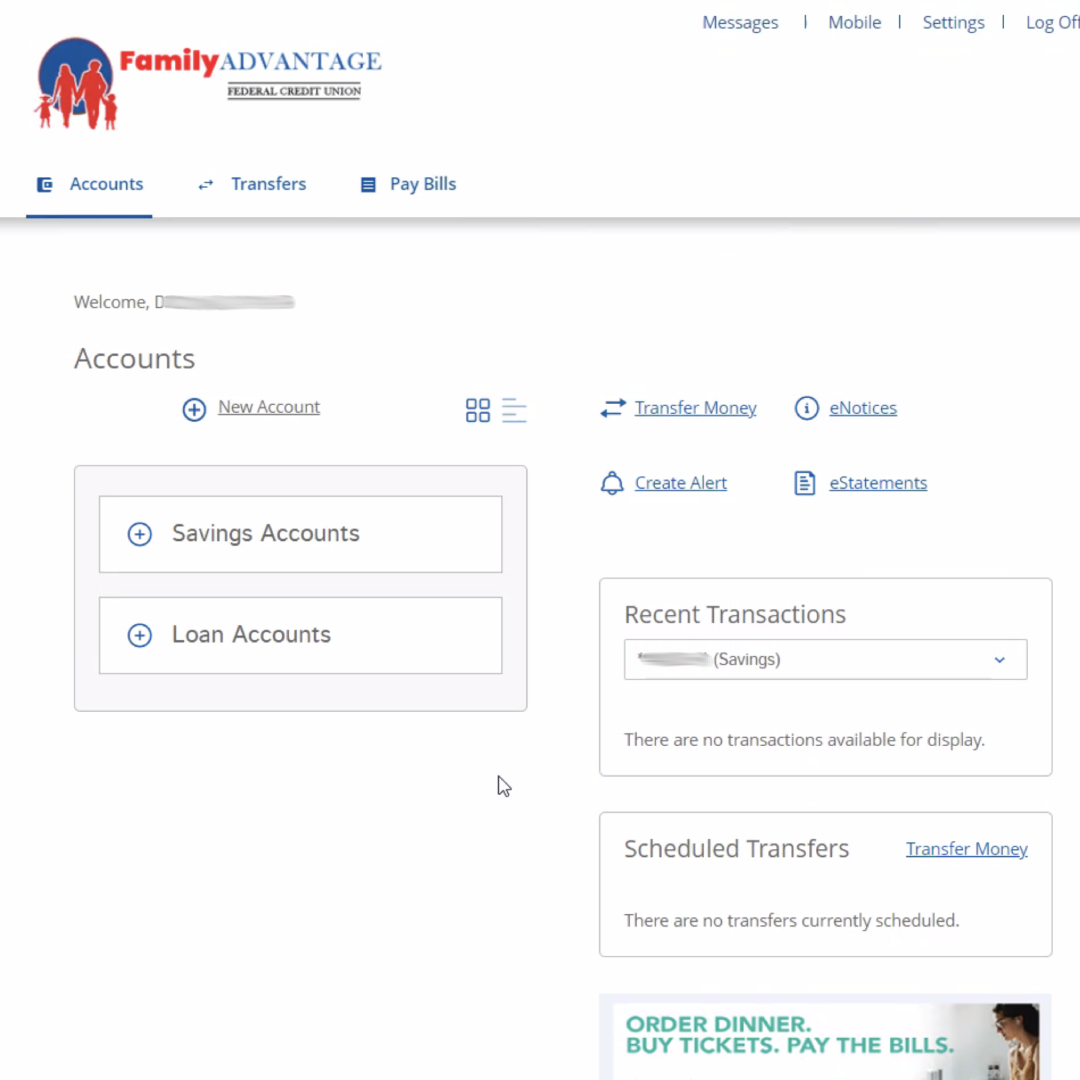
9. You can now access your account with our new and improved platform

9. You can now access your account with our new and improved platform

1 2 3 4 5 6 7 8 9
Previous Next
1. Enter your Member Number and PIN to enroll in Online Banking. The PIN is the last four (4) digits of your SSN.
2. Create your new Virtual Branch Login ID
3. Create your new Virtual Branch password
4. Click to login with your new Login ID and password
5. Enter in your new Login ID and password
6. Select and answer the following security questions
7. Accept the Terms and Conditions
8. Add profile information for security alerts and identity verification
9. You can now access your account with our new and improved platform

*APY = ANNUAL PERCENTAGE YIELD. APR = ANNUAL PERCENTAGE RATE. RATE BASED ON CREDITWORTHINESS AND TERM OF LOAN. RATES ARE SUBJECT TO CHANGE AT ANY TIME AND ARE NOT GUARANTEED. WE PROVIDE LINKS TO THIRD PARTY PARTNERS, INDEPENDENT FROM Family Advantage FEDERAL CREDIT UNION. THESE LINKS ARE PROVIDED ONLY AS A CONVENIENCE, WE DO NOT MANAGE THE CONTENT OF THOSE SITES. THE PRIVACY AND SECURITY POLICIES OF EXTERNAL WEBSITES WILL DIFFER FROM THOSE OF myfafcu.ORG.

931-486-3125 member@myfafcu.org
Hours
 
NCUA Logo
Equal Housing Lender Logo
 
Privacy PolicyFacebookInstagramTwitterWeb Accessibility

POWERED BY OMNICOMMANDER